 Task Me
Put quick reminders where you'll actually see them: your inbox.
Type a note, tap Task Me, and it's in your Gmail. No lists to check, no accounts to make, nothing to futz with.
Coming soon to the App Store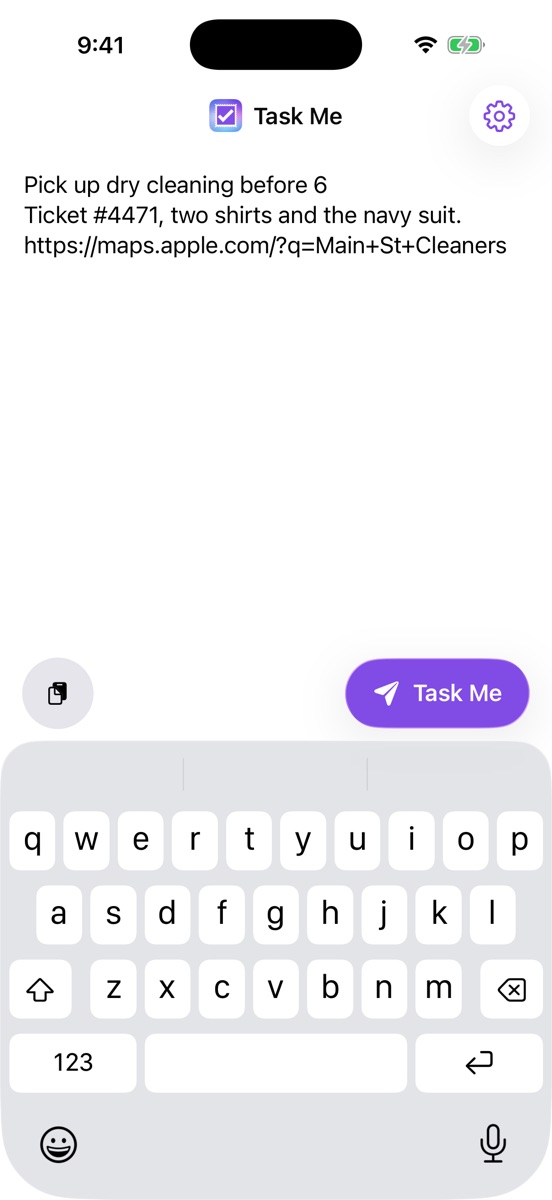
Streamline the thing you already do.
You already email yourself reminders. Task Me takes out every step except the typing.
First line is the subject
Write the note however you like. The first line becomes the subject, and the whole note goes in the body.
Filterable
Every subject starts with [TaskMe] (or your own prefix), so Gmail filters and labels keep things tidy.
Share sheet
One-step read-later. Share a page from Safari and the title and link land in your inbox.
One-tap paste
Paste the clipboard with a single tap. No long press, no "Allow Paste" prompt.
Siri & Shortcuts
"Send a task with Task Me." Works from Siri, the Shortcuts app, and the Action button, without opening the app.
Private by design
No servers and no accounts. Task Me can send mail, but it can't read your inbox, and your sign-in stays on your phone.
Direct to your inbox.
Task Me sends from your own Gmail account to your own address, with TaskMe as the sender name so it's easy to spot. It looks like any other email because it is one: it shows up on every device, it's searchable, and you can snooze it, star it, or archive it when you're done.
Pick up dry cleaning before 6
Ticket #4471, two shirts and the navy suit.
https://maps.apple.com/?q=Main+St+Cleaners
Set up in under a minute.
-
Sign in with Google
Sign in once. Task Me asks only for permission to send email and to know your address.
-
Type or paste
The keyboard is up as soon as the app opens. Jot the reminder, or paste a link.
-
Tap Task Me
It's in your inbox. The editor clears, ready for the next one.
Support
Found a bug, have a question or want a feature? Open an issue on GitHub and I'll take a look. You can also browse existing Task Me issues.